Start with your shot
Choose a saved scouting frame as the source for your idea.
 SCOUTER
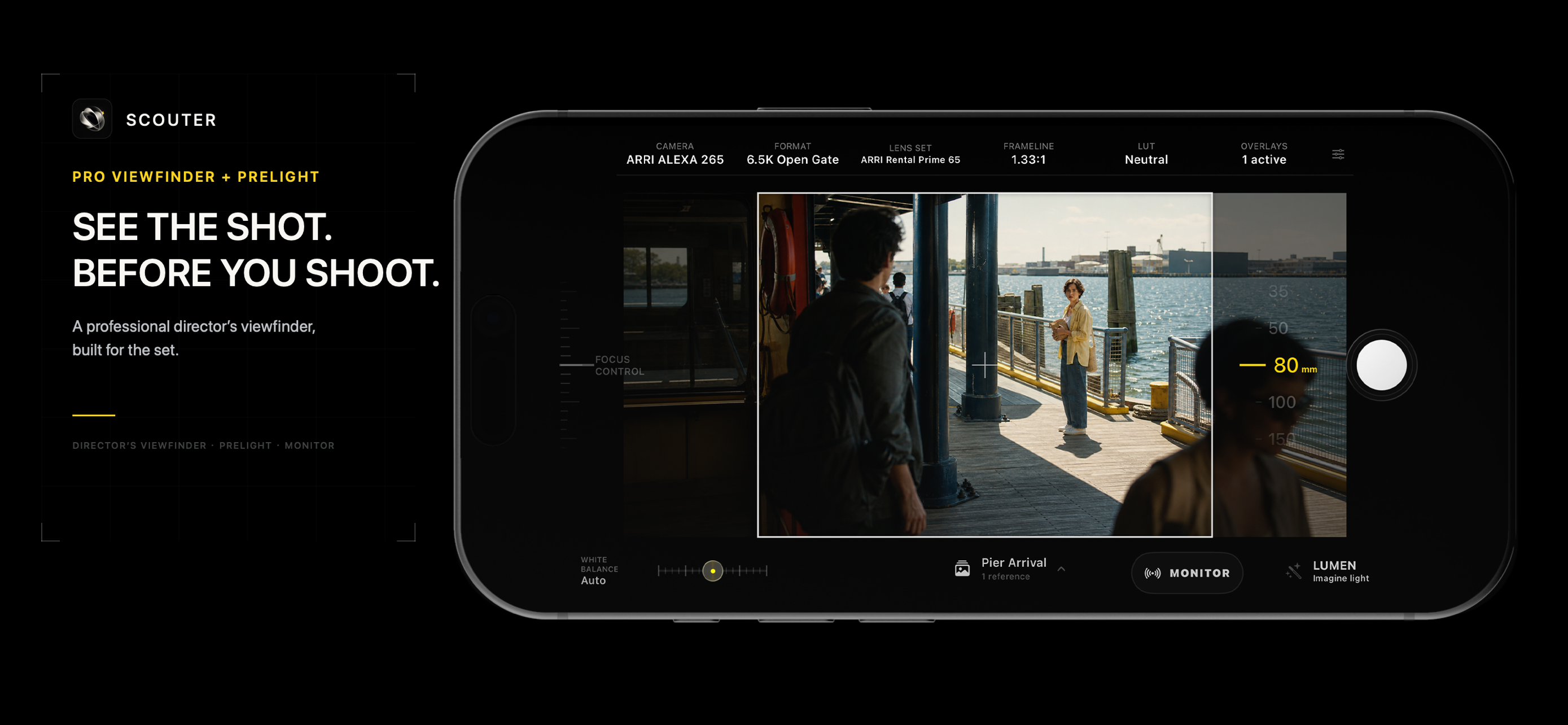
Director’s viewfinder + Lumen AI · iPhone & iPad
Find your framing on location. Then use Lumen to explore time of day and weather through AI lighting references made from your saved shot.
Core framing and capture are free. Eligible new users also receive complimentary Lumen credits; details below.
LUMEN · AI LIGHTING REFERENCES
Explore the atmosphere you have in mind before the shoot. Lumen turns a selected scouting shot into a generated visual reference you can bring to a lighting conversation.
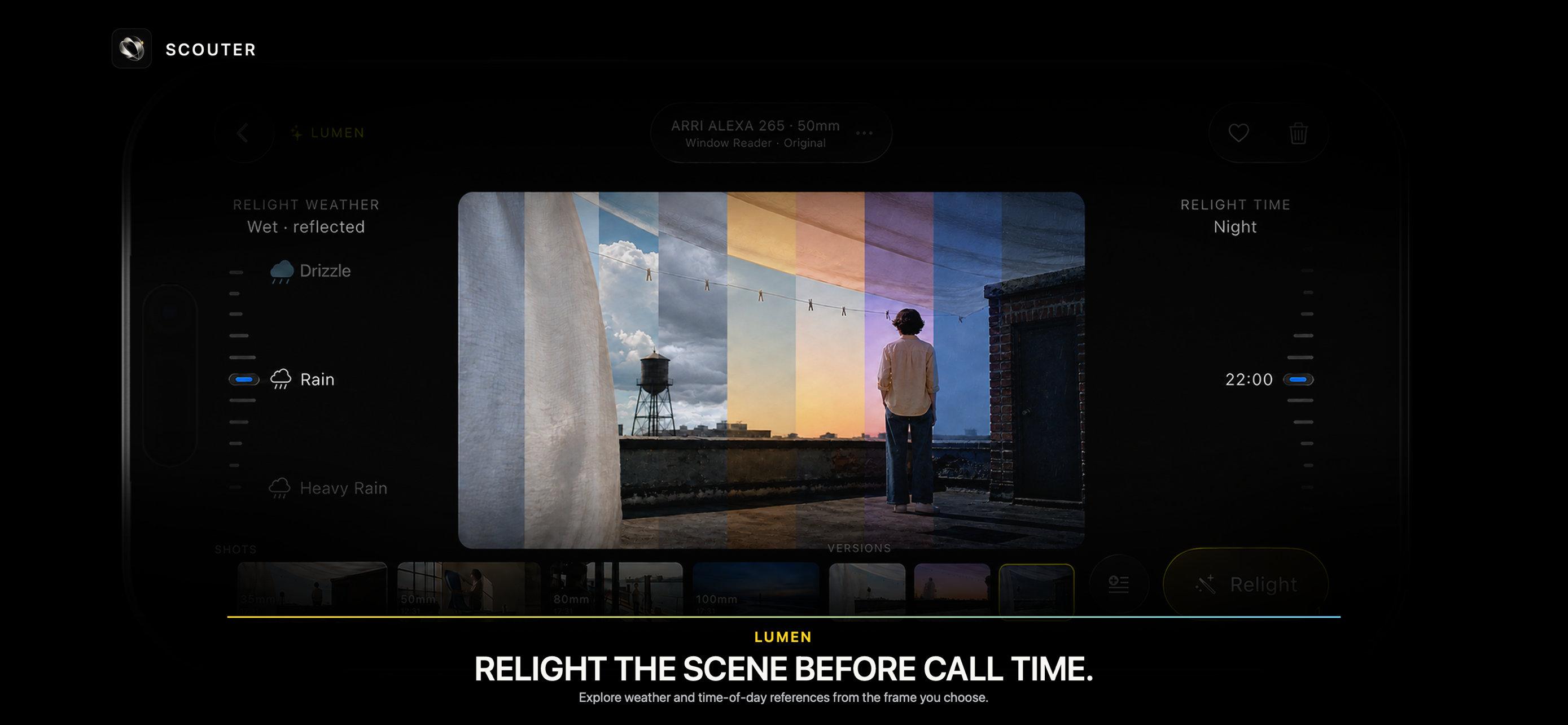
Choose a saved scouting frame as the source for your idea.
Choose a time of day and weather. Add a creative direction if you have a particular look in mind.
Use the original frame and generated reference to discuss the look, then confirm your choices on set.
Lumen is optional. Eligible new users receive 20 welcome credits plus 3 starter credits (23 total), once after their first verified Sign in with Apple, with no purchase required. Additional credits are purchased separately. Scouter Full is a separate one-time upgrade for professional tools; it does not include Lumen credits.
FROM LOCATION TO FRAME
Select a camera, recording format, and lens to start exploring your frame.
Move through the location and compare focal lengths before you bring out the production camera.
Capture your planned frame so you can return to the idea when it’s time to shoot.
Plan your frame. Explore a lighting direction with Lumen.
View on the App StoreStart with the free viewfinder and capture workflow. Scouter Full is a one-time upgrade for additional professional tools. Lumen includes the eligible once-only welcome allowance described above; additional credits are purchased separately. See your local App Store for prices.